pgh-transit
A personal transit console for getting around Pittsburgh: compare the ways to go, check the next train, and catch disruptions before you leave.
- Status
- It works, with the live transit feeds set up. It's waiting for a permanent screen on the wall while Aura has my attention.
- Built with
- Next.js, Supabase, Leaflet, Claude Code
Why I built it
I like the Transit app, but I wanted something else: a command centre on an iPad on the wall that learns where I go and shows me the best way there, like a station departure board at home. Transit is built for everyone, everywhere. I wanted one built for one rider in one city.
Who it’s for
One rider in Pittsburgh: me. Before every trip, the question is how to go and when to leave. That used to take three apps, and I wanted one glance.
Three decisions
The next train is the loudest thing on screen
The board gets read from across the room, so the countdown to the next train is the biggest thing on it. A strip along the top shows how the trains are spaced over the next 45 minutes, so I can tell whether missing this one costs me three minutes or twenty. Amber is my line, and green and red only ever mean on time or disrupted.
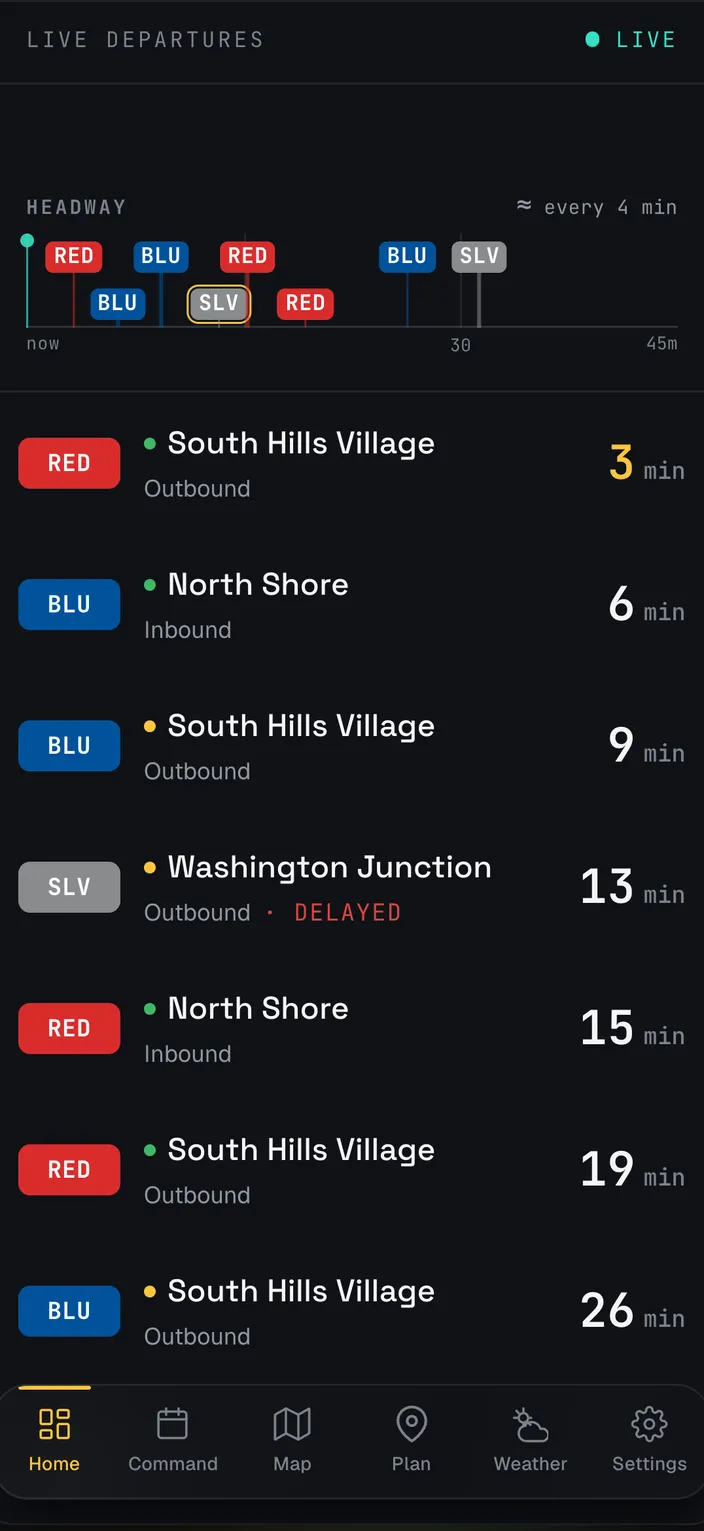 Live departures, with the gaps between trains drawn as a strip across the top.
Compare the ways to go, and see trouble first
For any trip it puts train, bus or a mix side by side and shows which is fastest right now. Because it learns where I go, it can flag a disruption on one of my usual routes before I leave, while the warning is still useful.
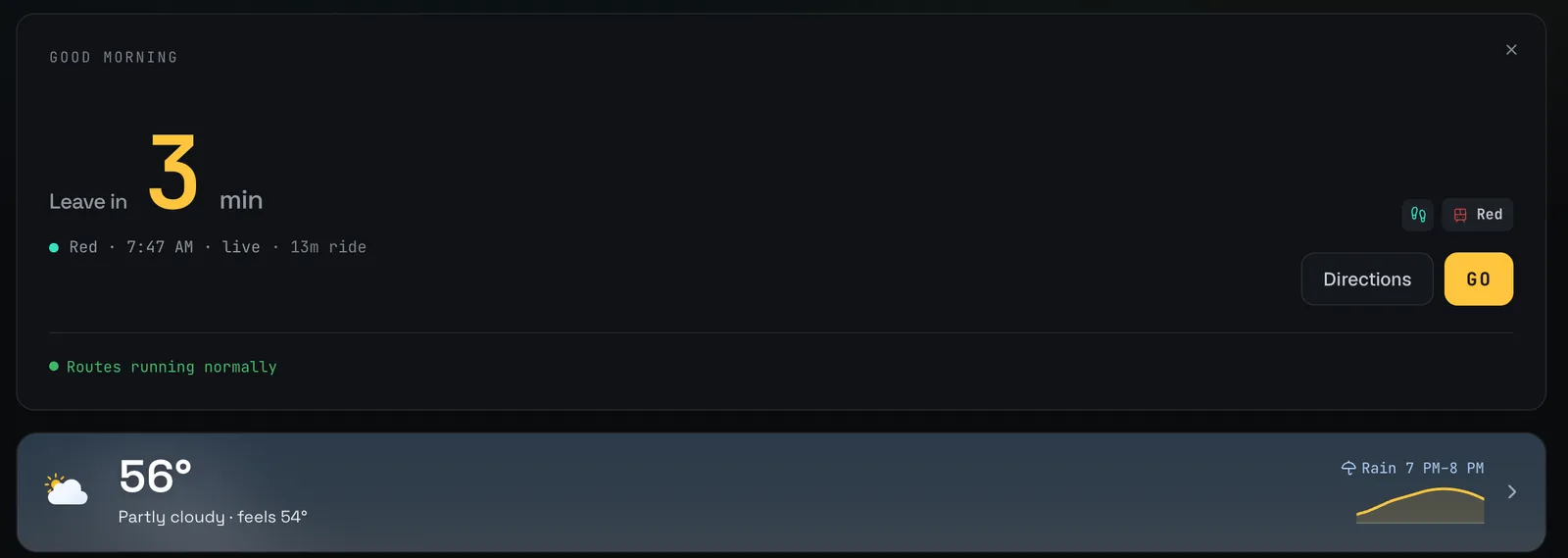 The command centre: when to leave is the biggest thing on the screen.
A live map of every train line
This is the part I’m proudest of. The map shows every train line, plus the bus routes I follow, with the trains and buses moving on it in real time. Each line is drawn from the real route shapes, and each vehicle glides between updates instead of jumping.
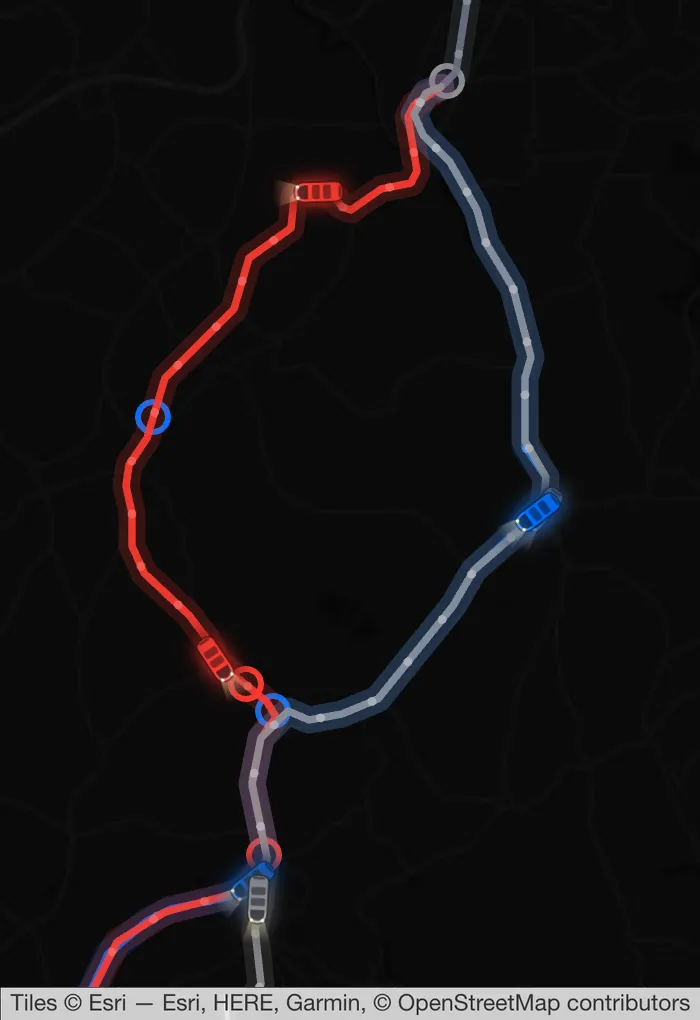 The live map: trains on their lines, moving as the feed updates.